
Pricing rules and campaigns
Each channel its own price, without selling at a loss.
Write a rule once: "Trendyol +15%, round to .90". A timed campaign applies the discount at start and restores the price at the end. A price below cost plus your minimum margin is not sent.
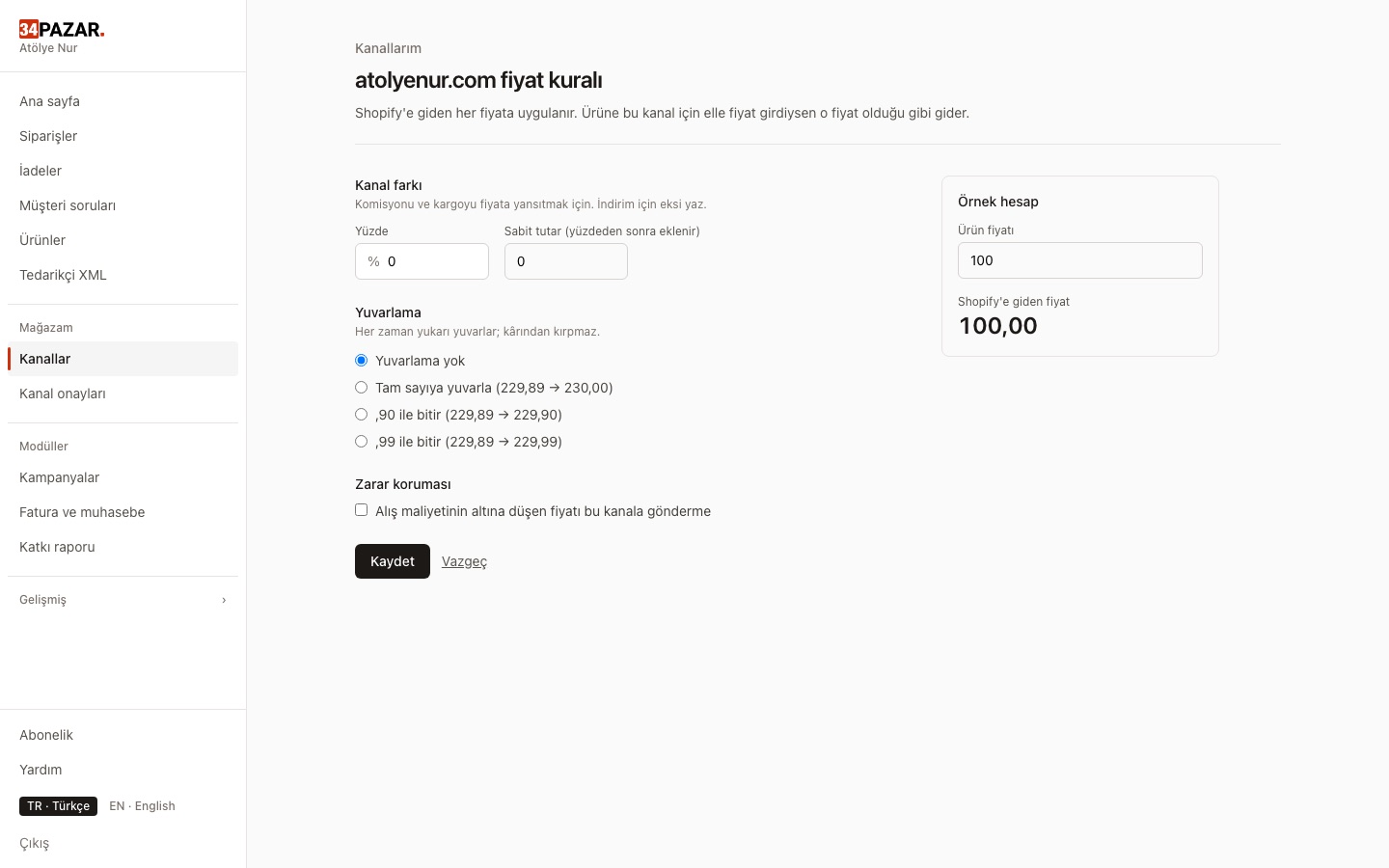
Real screenshot from the panel (demo store, Turkish interface).
What it solves
- You calculate commission markups by hand on every channel.
- You forget to restore prices when a campaign ends.
- A typo (199 instead of 1999) turns into a loss-making sale.
How it works
-
1
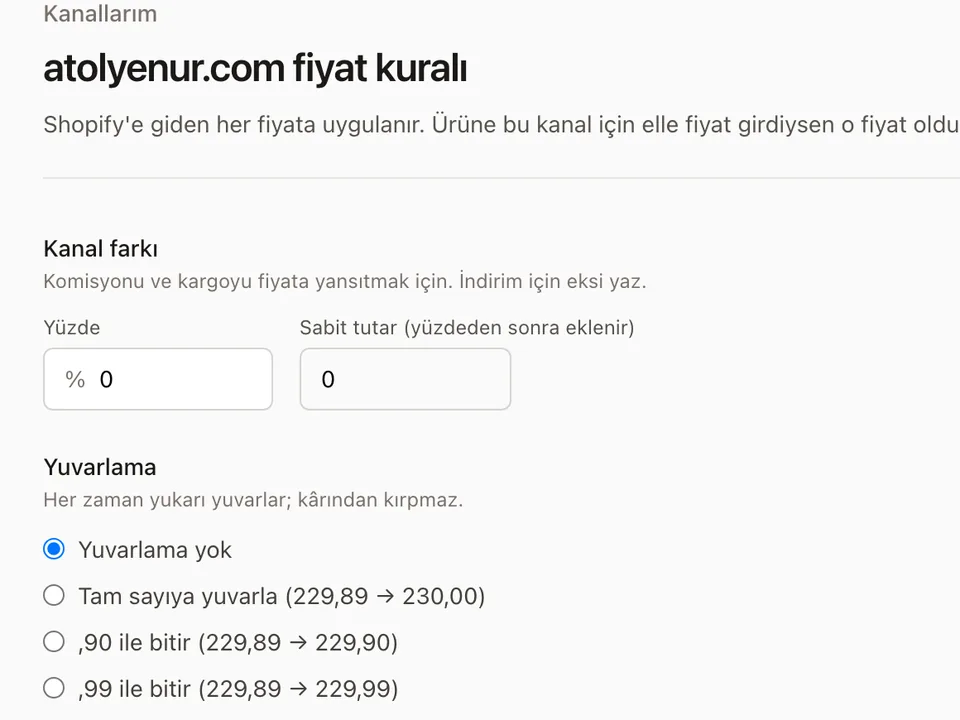
Define a channel rule
Percentage and/or fixed markup, rounding (x.90 · x.99 · whole).
-
2
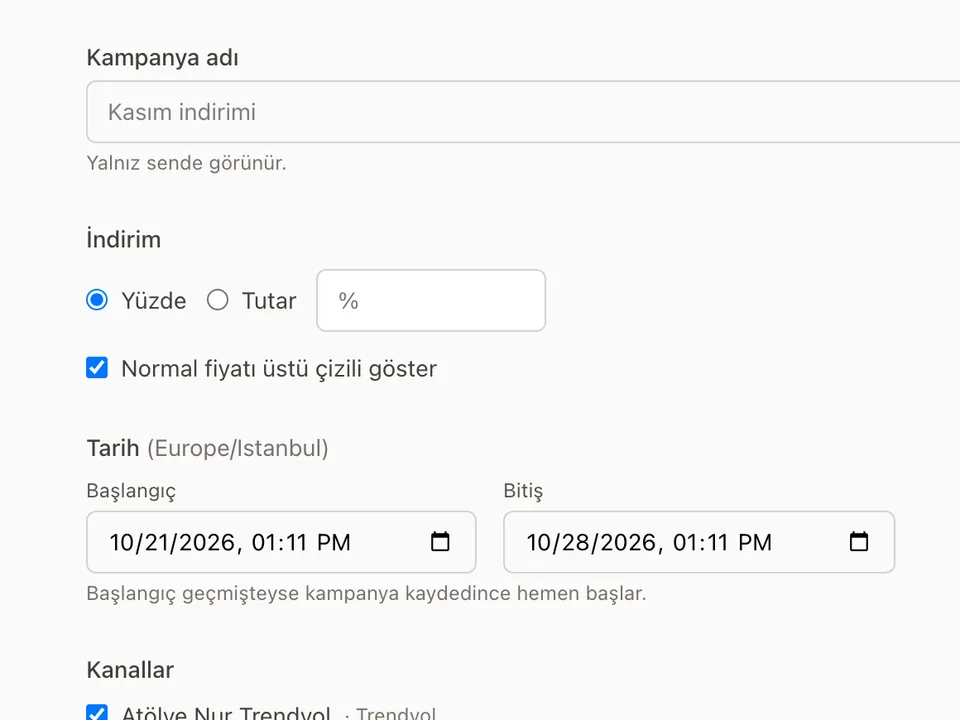
Schedule a campaign
Date range, percentage or fixed discount, products and channels.
-
3
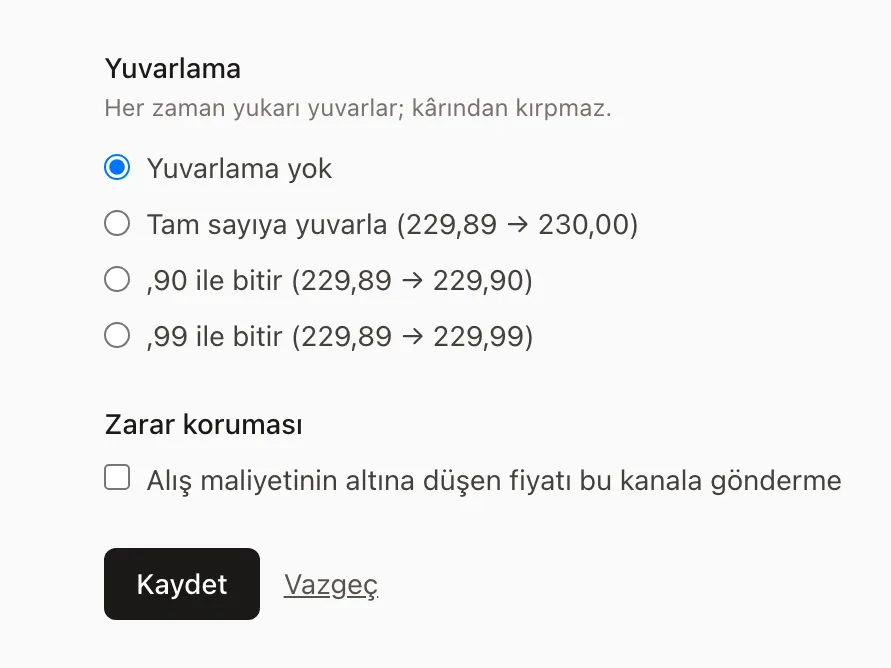
Turn on the loss guard
Cost and minimum margin: prices below the floor are not sent and the reason appears in the panel.
Which channels?
This works on all of the channels below.











Frequently asked questions
What if the channel uses another currency?
Turn on currency conversion in the channel's price rule and your TRY price is converted at the CBRT forex buying rate, with your markup, rounding and minimum price. If conversion is off or the rate is older than 4 days, the price is not sent and the panel asks for a channel price.
Can I set a channel-specific price?
Yes. A manual channel price overrides the rule; the loss guard still checks it.
What if two campaigns overlap?
The campaign giving the lowest price applies.
Other solutions
- Inventory sync One stock count, no overselling
- Order management Every channel's orders in one list
- E-invoicing (Nilvera) Invoices from your Nilvera account
- Supplier XML Products, stock and prices from a feed
- Bulk edit with Excel Update stock and prices in a sheet
- Shipment tracking Tracking numbers reach the channel
- International marketplaces eBay and Kaufland, with currency conversion