
Bulk edit with Excel
Update hundreds of products in one sheet.
Download your product list as Excel, edit it and upload it back. 34Pazar shows what will change first, then applies it and sends it to your channels.
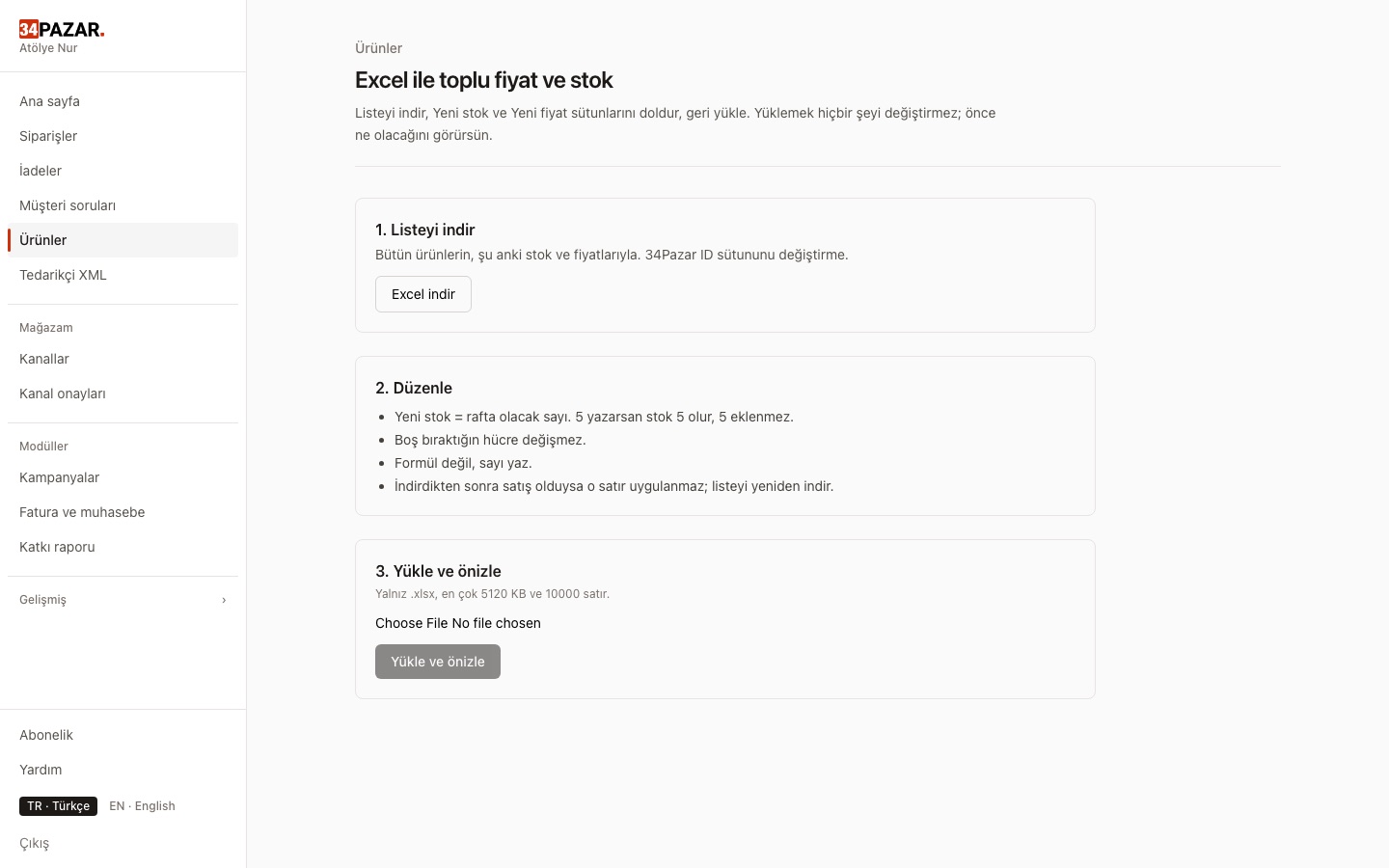
Real screenshot from the panel (demo store, Turkish interface).
What it solves
- You open hundreds of products one by one to update prices.
- One mistake in a bulk upload breaks the whole list.
- A sale arriving while you edit gets overwritten with the old number.
How it works
-
1
Download the sheet
Products with SKU, stock and price.
-
2
Edit in the sheet
Only the cells you change are processed.
-
3
Preview and apply
Rows changed after your download are not applied; you are warned.
Frequently asked questions
What if a sale arrives while I edit?
Rows changed after your download are not applied and the preview warns you; the new number is not overwritten.
What if I upload the wrong file?
You get a preview first; nothing changes until you confirm.
Do changes reach my channels?
Yes, if the connection's stock and price permissions are on.
Other solutions
- Inventory sync One stock count, no overselling
- Order management Every channel's orders in one list
- E-invoicing (Nilvera) Invoices from your Nilvera account
- Pricing rules and campaigns Channel markup, timed discounts, loss guard
- Supplier XML Products, stock and prices from a feed
- Shipment tracking Tracking numbers reach the channel
- International marketplaces eBay and Kaufland, with currency conversion