
E-invoicing (Nilvera)
Invoices from your own Nilvera account.
Connect your Nilvera API key and issue the invoice from the order screen: e-Fatura for registered buyers, e-Arşiv for everyone else. Buyer details are read from the channel at invoicing time and not stored by 34Pazar.
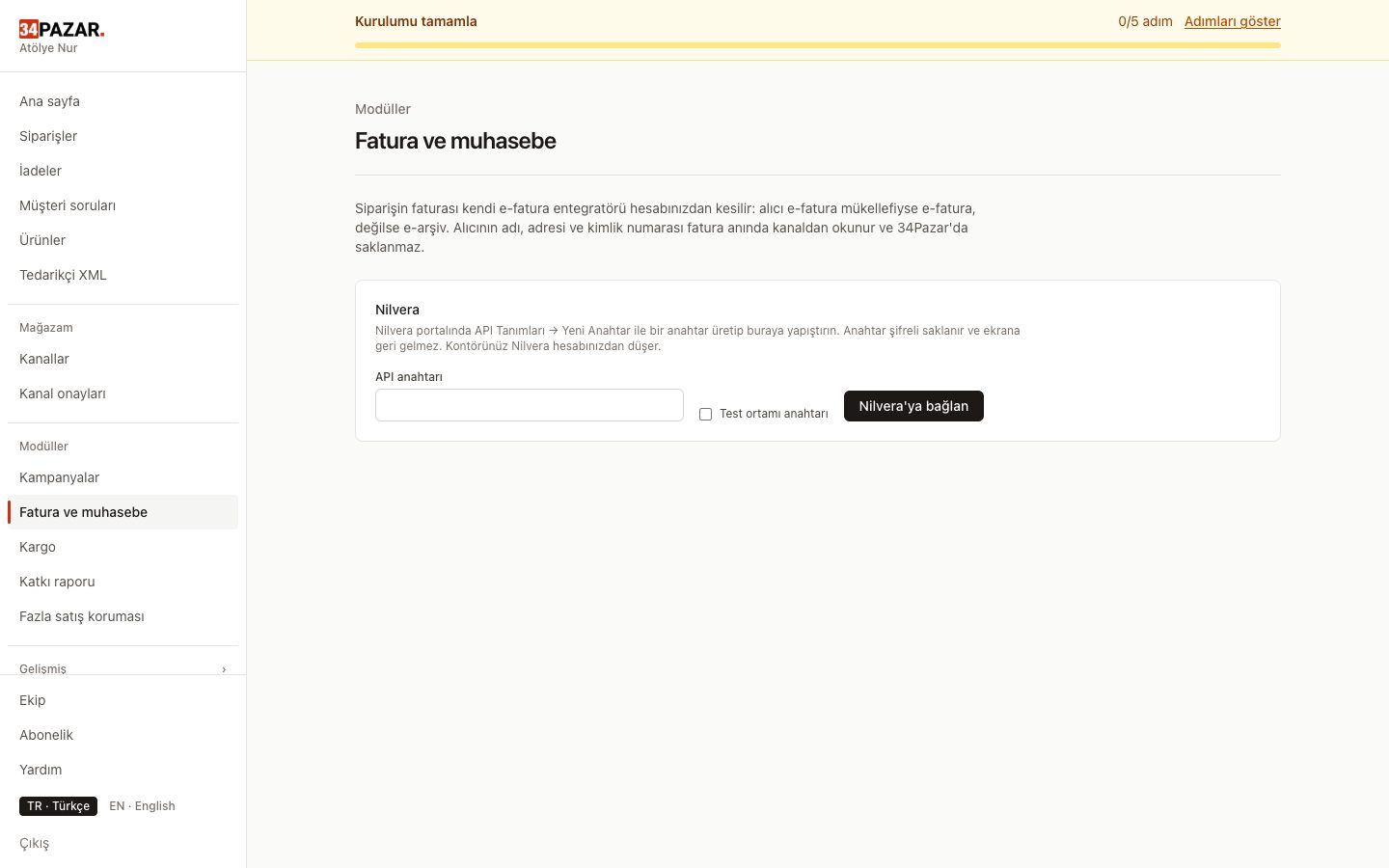
Real screenshot from the panel (demo store, Turkish interface).
What it solves
- You enter every invoice into the portal by hand.
- You forget to upload invoices to the marketplace.
- Invoices of cancelled orders pile up as separate work.
How it works
-
1
Connect Nilvera
Paste the API key you create in the Nilvera portal into the invoicing screen; it is stored encrypted.
-
2
Invoice from the order
One by one, in bulk or automatically, within your plan's monthly allowance; credits come from your Nilvera account.
-
3
Send to the channel
Trendyol receives the file; Hepsiburada and n11 receive a permanent invoice link.



Frequently asked questions
How do cancellations work?
For a cancelled order, the e-Arşiv invoice is cancelled in Nilvera if Nilvera still allows it. e-Fatura invoices are not cancelled; the buyer issues a return invoice.
And returns?
Nilvera only issues e-documents, so you record returns in your accounting software. If the buyer is an e-Fatura taxpayer, the buyer issues the return invoice.
Do you store invoice PDFs?
No. The permanent link sent to marketplaces fetches the PDF from Nilvera every time; no file is stored on our side.
Who sells the credits?
Nilvera. The invoicing contract and credits are in your own Nilvera account; 34Pazar is not an intermediary.
Other solutions
- Inventory sync One stock count, no overselling
- Order management Every channel's orders in one list
- Pricing rules and campaigns Channel markup, timed discounts, loss guard
- Supplier XML Products, stock and prices from a feed
- Bulk edit with Excel Update stock and prices in a sheet
- Shipment tracking Tracking numbers reach the channel
- International marketplaces eBay and Kaufland, with currency conversion